Local AI Tools 本地 AI (LLM) 工具
Select a tool to get started 選擇一個工具開始
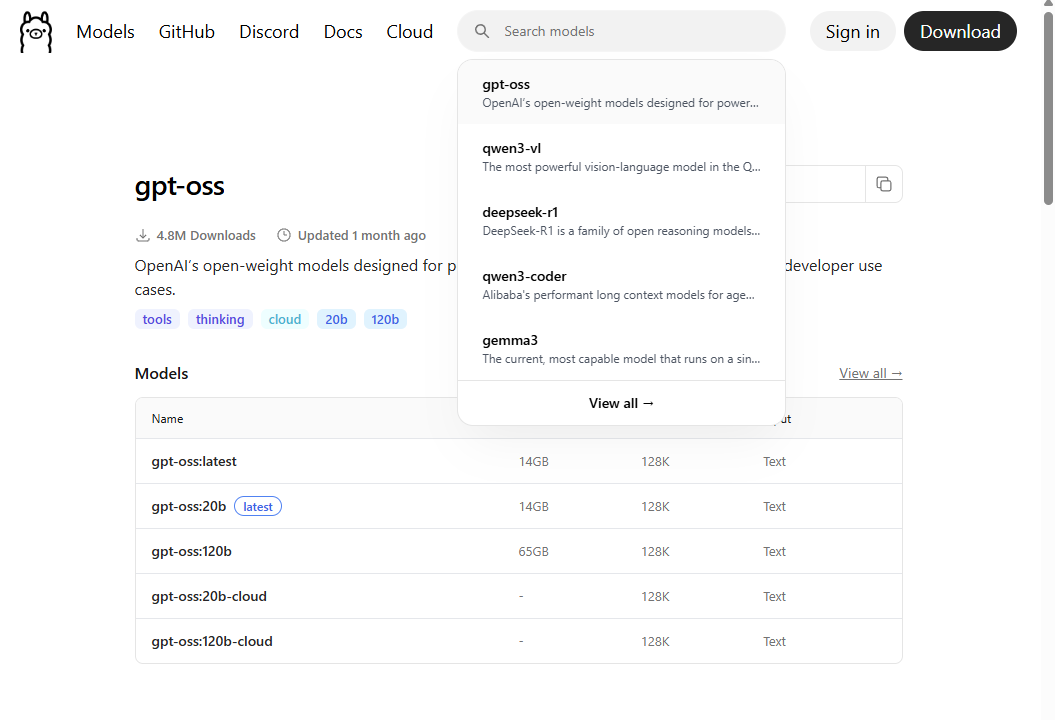
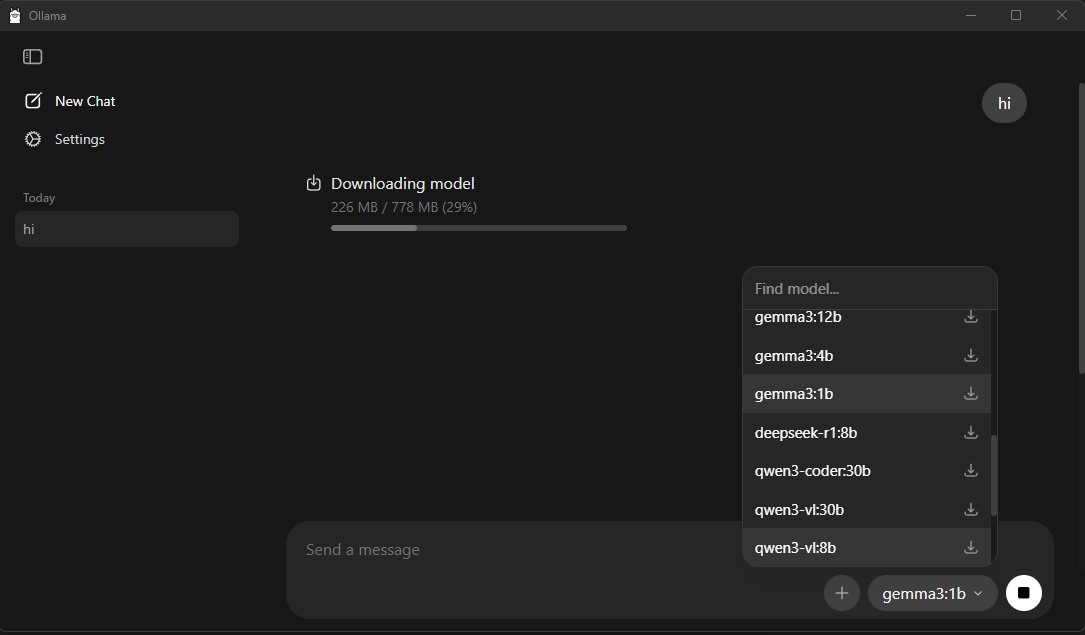
Ollama
AI Model Engine
Command Line Tool
AI 模型引擎
命令列工具
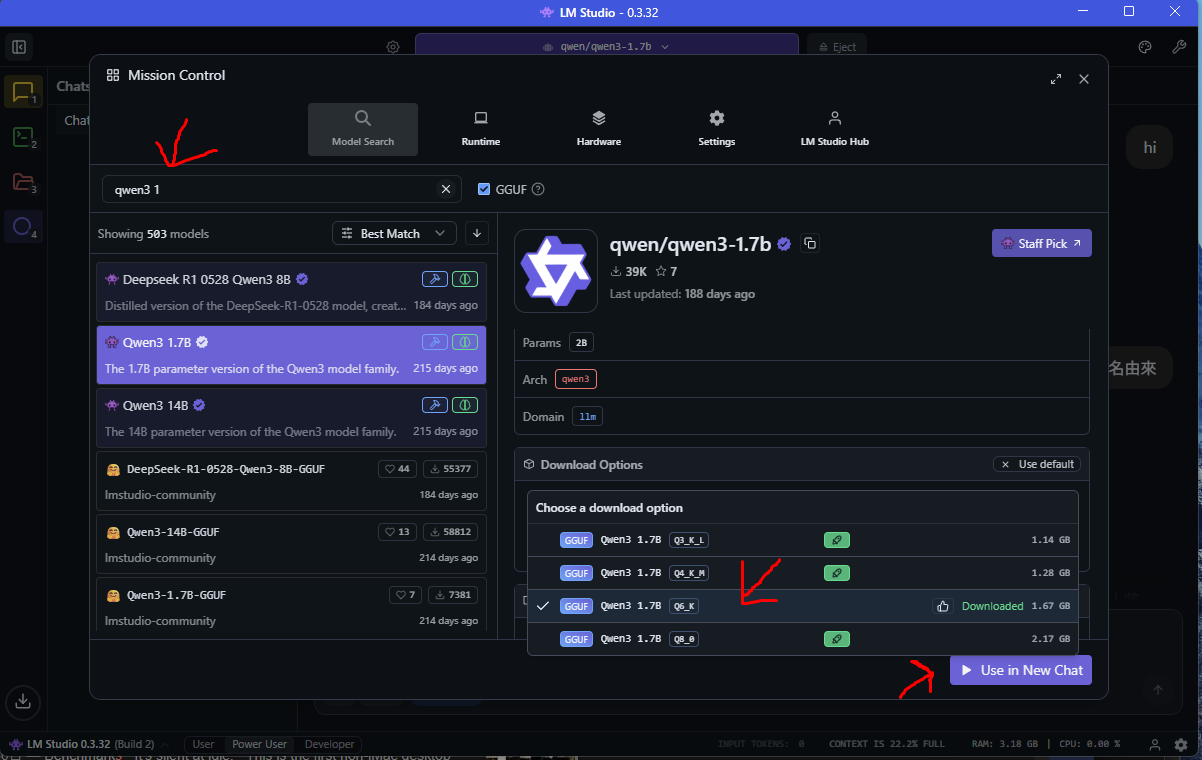
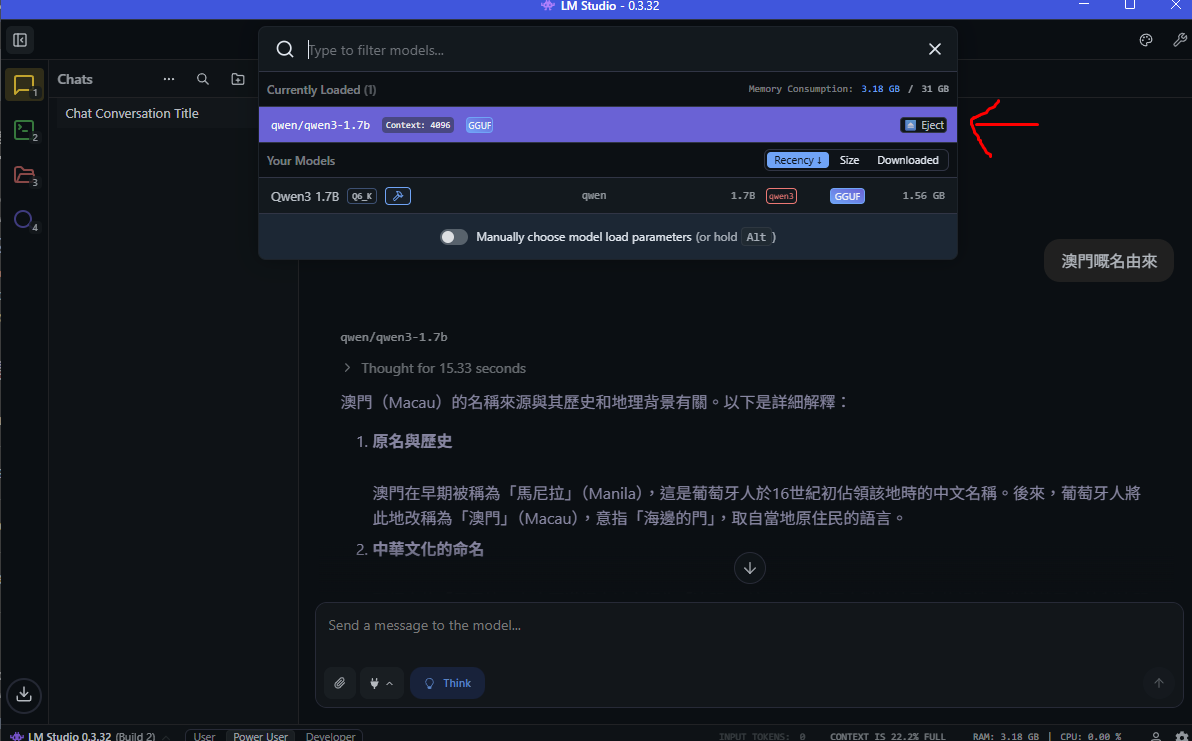
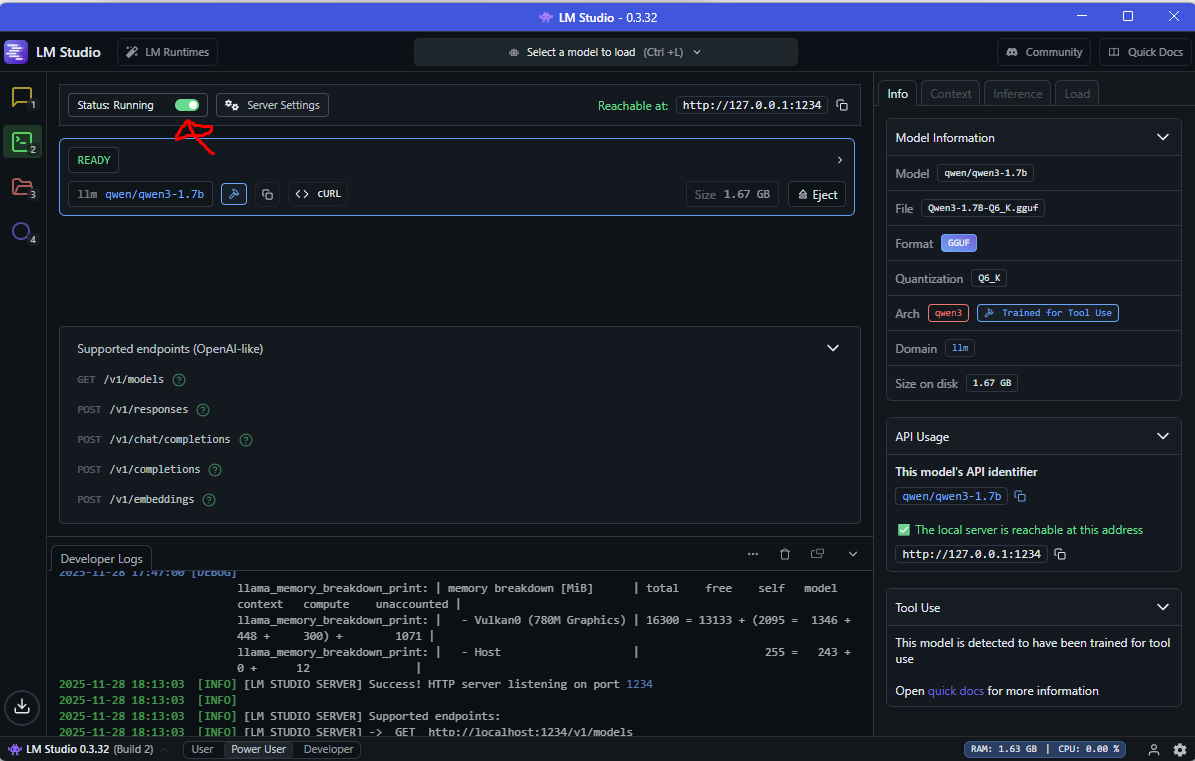
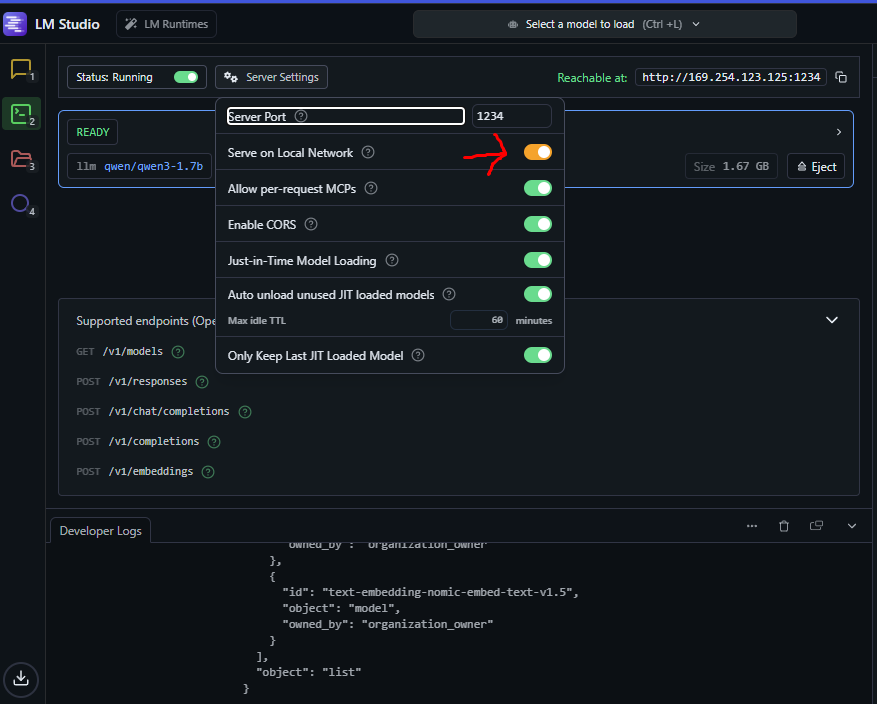
LM Studio
Graphical Interface
User Friendly
圖形介面
容易使用
Ollama VS LM Studio Ollama VS LM Studio
| Feature | Ollama | LM Studio |
|---|---|---|
| Interface介面 | Command Line / Desktop App命令列 / 桌面應用 | Graphical UI圖形介面 |
| Ease of Use易用性 | Requires terminal knowledge需要終端機知識 | User-friendly, point & click易上手,點擊操作 |
| Hardware Detection硬件偵測 | Manual check needed需手動檢查 | Auto-detect compatible models自動顯示可用模型(綠色圖示) |
| Model Management模型管理 | Command-based命令列管理 | Visual interface視覺化管理 |
| Best For適合對象 | Developers, automation開發者、自動化 | Beginners, GUI preference初學者、喜歡圖形介面 |
Key Advantage of LM Studio: Quickly shows which models your hardware can handle with green indicators, making it easy to choose the right model size. LM Studio 主要優勢:可以快速知道本地電腦硬件可負載的 LLM 模型(綠色圖示),輕鬆選擇合適的模型大小。
Local LLM vs Cloud API 本地端 LLM vs 雲端 API
| Feature | Local LLM本地端 LLM | Cloud API雲端 API |
|---|---|---|
| Cost費用 | Free (after hardware)免費(硬件成本後) | Pay per use按使用量付費 |
| Privacy隱私 | 100% private, data stays local100% 隱私,數據留在本地 | Data sent to cloud數據傳送至雲端 |
| Internet Required網路需求 | No (fully offline)不需要(完全離線) | Yes (always online)需要(必須連線) |
| Performance效能 | Depends on your hardware取決於本地硬件 | Fast, powerful servers快速,強大伺服器 |
| Model Quality模型品質 | Good for most tasks適合大部分任務 | State-of-the-art models最先進的模型 |
| Setup設置 | Requires installation需要安裝 | Instant, API key only即時,僅需 API 金鑰 |
Recommendation: Use Local LLM for privacy-sensitive tasks, unlimited usage, and offline work. Use Cloud API for highest quality results and no hardware requirements. 建議:隱私敏感任務、無限使用和離線工作請用本地端 LLM。需要最高品質結果和無硬件要求請用雲端 API。